
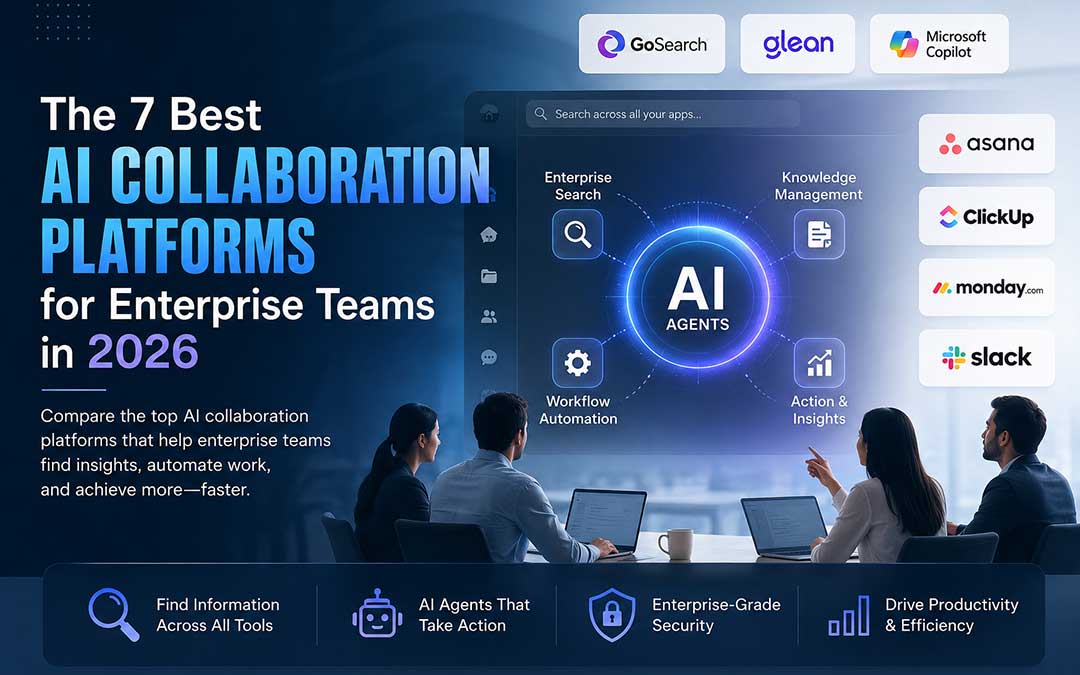
The top AI collaboration platforms for 2026 go beyond helping you find information in your various business applications. They leverage the power of AI agents to help teams collaborate more efficiently and take action on the insights they uncover.
GoSearch—Combines AI-powered enterprise search with no-code AI agents that can take action across your connected business tools in real time.
Glean — An enterprise search and knowledge platform designed to organize information across large, complex business ecosystems.
Microsoft Copilot — An AI assistant integrated into Microsoft 365, helping users work with documents, emails, meetings, and other Microsoft applications.
Asana — A project and task management platform with AI-powered insights designed to help teams plan, prioritize, and manage their work.
ClickUp — An all-in-one productivity platform offering extensive integrations, AI features, and workflow automation for managing projects and business processes.
Monday.com — A flexible work management platform with AI-powered tools for project planning, resource management, scheduling, and workflow optimization.
Slack — A team communication platform enhanced with AI features such as conversation summaries, information discovery, and workflow support.
Enterprise search is merely the beginning. To deliver business value, organizations must adopt AI agents that can comprehend the information at hand and act upon it. According to Deloitte’s 2026 State of AI in the Enterprise report, 66% of organizations have already seen productivity and efficiency gains from AI. For example, GoSearch customer Model N was able to drive a 47X improvement in customer support productivity by applying AI agents to routinely triage tickets, extract relevant context, and generate responses. The most effective AI collaboration platforms are those that can find the information needed across enterprise silos, understand the context of the information, and act upon it to take the most effective next step.
What is an AI Collaboration Platform?
An AI collaboration platform is enterprise software that unifies search, knowledge management, and workflow automation in an integrated layer on top of your existing tools. Some companies in this space position their products as AI workplace assistants – software that spans across your tools and helps you find, understand, and act on information as opposed to making you jump from tool to tool to find the information you need.
Whereas search tools are typically only able to help you find the information you need, AI collaboration platforms employ agents that can act on your behalf within integrated systems. This enables automated ticketing, record creation, and updating of information in other systems – reducing the number of manual steps that would otherwise have to be taken.
The category has seen explosive growth due to the amount of collaboration that takes place across distributed teams and the amount of information that gets stored in tools like Slack, Jira, Salesforce, Notion, Google Drive, and many others. Instead of having a single source of information that can be easily searched and acted upon, employees are often required to use different tools and perform searches inside each of them in order to find the information they need. The ability to find the information is only one part of the equation – once the information has been found, it has to be used to make a change in a system, which usually involves additional steps.
How AI Collaboration Platforms Evolved From Search to Automation
The first generation of AI collaboration tools focused on enabling people to find information faster. Project management tools like Asana and Monday. com introduced features like project insights powered by AI while communication tools like Slack started including conversation summaries. These collaboration tools enabled people to be more informed but the actual work still had to be done by people.
People still had to spend countless hours on administrative work such as policy research, data collection, status quo preparation, ticketing, and report generation. The next wave of collaborative tools goes beyond providing information and actually perform useful work after finding the information they need.
Instead of asking the AI to help you summarize the support queue like before, you can now ask the AI agent to summarize the support queue and create tickets for critical issues. The AI agent has the capability to not only find the information you need but understands the information it finds allowing it to perform meaningful work such as identifying and reacting to critical issues.
Collaboration tools are evolving from search assistants that merely give you the information to AI agents that understand and actually do the work.
AI Collaboration Platforms vs. Project Management Tools: What’s the Difference?
Traditional project management software such as Asana, Monday, and ClickUp are built around the idea of managing work, setting up dependencies, and keeping track of what has been done or needs to be done by whom and when. The AI features in these tools are used to improve task scheduling and provide helpful reminders and suggestions. This is all focused around optimizing the task and project management domain, which is great as far as it goes.
Collaboration tools that leverage AI take a step back and focus on connecting the various sources of information and workflow in an organization, providing end users with the ability to search and find what they need to accomplish their tasks and then assisting in automating the work based on the information discovered. Search becomes the key enabler and the AI agents that are able to consume and act upon the information that is found are an important additional layer of productivity.
Here’s a cleaner, more polished version of the table with the same comparison but refreshed wording:
| Aspect | Traditional Project Management Tools | AI Collaboration Platforms |
|---|---|---|
| Primary Focus | Organizing tasks, projects, and deadlines | Connecting knowledge and automating business workflows |
| Information Structure | Built around projects, tasks, and team assignments | Built around a unified enterprise knowledge layer |
| AI Features | Smart scheduling, reminders, and project predictions | AI agents that search, understand, and execute tasks |
| Tool Integration | Primarily connects with external business applications | Works across the entire technology stack as an intelligent layer |
| Time to Results | Often requires process changes and team adoption | Can deliver value quickly within existing workflows |
| Main Business Benefit | Better project organization and team coordination | Less repetitive work, faster decisions, and greater productivity |
| Ideal Use Case | Project planning, task management, and deadline control | Cross-platform knowledge discovery and automated work execution |
4 Key Capabilities to Evaluate in an AI Collaboration Platform
When evaluating AI collaboration platforms, focus on the four capabilities that have the greatest impact on real-world performance—the same core factors used to assess leading agentic AI platforms.
1. Search depth and speed
Can the platform find relevant answers across your entire technology stack within seconds?
It may seem like an obvious requirement, but fast, comprehensive search is a critical capability that differentiates search tools. Some solutions only search cloud-based apps, ignoring on-premise systems. Others may take several seconds to return results, while employees need answers in the moment. Finally, some can only find verbatim queries, while intelligent AI collaboration platforms can understand context and resolve related concepts to find the most relevant answer quickly.
Federated search vs. indexed search — what’s the difference?
| Aspect | Federated Search | Indexed Search |
|---|---|---|
| How It Works | Searches connected source systems directly when a query is made | Copies and stores data in advance, then searches the stored index |
| Data Freshness | Real-time, reflecting the latest information in the source | Depends on synchronization frequency and may not reflect recent updates |
| Performance Trade-off | Uses more processing during each search but avoids synchronization delays | Delivers fast lookups but depends on the freshness of the latest index |
| Best Suited For | Live, time-sensitive information such as open tickets, current inventory, or pipeline data | Large-scale searches across stable information that changes less frequently |
| Example Platform | GoSearch | Glean |
2. Agent and workflow capabilities
Can I build custom AI agents without coding and let them perform a connected set of tasks across tools?
The best options enable non-developers to build agents via natural language and intuitive interfaces. For example, an HR team should be able to build and deploy an agent that can answer employee questions about benefits without requiring DevOps support.
To identify this capability, look for these features:
Agent builder available to non-developers: Make sure you can launch and configure agents in intuitive interfaces without writing code.
Multi-tool workflows: Can your agent connect information from multiple sources and perform actions across disparate tools?
Pre-built templates: Does your vendor offer pre-configured agents for common use cases like customer service, sales, reporting, and analytics?
Actions and outcomes tracking: Do you get visibility into the actions performed by individual agents so you can audit and optimize their work?
3. Permissions and security
Does the platform respect your access permissions?
This can be an issue with many platforms. Exposing information users aren’t permitted to access, forcing users to set up permissions, or struggling with nuanced permission requirements at times. Access control for enterprise AI should be completely transparent. If a user doesn’t have access to a document in Salesforce, they shouldn’t be able to access it in the AI platform either.
Ask four questions:
Does the platform sync permissions from connected source systems?
Does it allow you to define roles for different users and teams?
Can the platform detect and automatically restrict access to PII and other sensitive data?
Is the platform SOC 2 Type II compliant, and does it offer zero data retention to prevent customer data from being used for model training?
4. Ease of implementation
Can you deploy it across your organization in weeks, not months?
The right platform should be a natural addition to your existing tech stack, not require people to change the tools they use every day. Your people need to be able to find and experience the power of AI in the places they already spend their time.
Look for these four essentials:
Pre-built connections to the tools your people are already using
Access from anywhere – within browsers, as an extension, within Slack, Microsoft Teams, email and more
Single sign-on with your existing identity provider and directory
Analytics and reporting to understand and measure adoption, usage and impact
How the Top AI Collaboration Platforms Compare
Here is how the main AI collaboration solutions compare on what actually matters:
| Platform | Core Strength | Best For | Agent Capability | Real-Time Data | Setup Time |
|---|---|---|---|---|---|
| GoSearch | Agentic automation + enterprise AI search | Teams automating knowledge work across their tech stack | Native agents + multi-tool workflows | Yes — federated | 1–2 weeks |
| Glean | Enterprise knowledge graph + AI search | Large, complex enterprises | Agent builder available | No — primarily indexed data | 4–8 weeks |
| Microsoft Copilot | Microsoft ecosystem integration | Organizations already using Microsoft 365 | Primarily Microsoft ecosystem capabilities | No — depends on connected source | 2–3 weeks |
| ChatGPT Enterprise | General-purpose reasoning, research + content creation | Individual productivity and knowledge work | Custom GPTs + limited native actions | Yes — with connector limitations | Days* |
| Asana | Project management + AI | Project-driven teams | Predictive task insights | N/A | 2–3 weeks |
| ClickUp | Broad integrations + workflow management | Cross-functional teams | Built-in workflow automation | No | 3–4 weeks |
| Monday.com | Resource management + AI | Resource-intensive projects | Predictive scheduling | No | 3–4 weeks |
| Slack | Team communication + collaboration | Distributed teams | Limited — primarily messaging and summaries | No | Already in use |
What this tells you:
GoSearch works in the quadrant of agentic + accessible: the product combines enterprise-level search with no code AI agents that can operate across your entire technology stack (including your non-SaaS tools via Federated Connectors) and take actions in 100+ integrated tools. It’s an AI workplace assistant, not a point solution.
Glean is comprehensive and powerful enough for large-scale enterprises with diverse technology ecosystems, but at the cost of being complicated to implement and requiring extensive data indexing.
Copilot can be great for companies that are Microsoft-ecosystem native, but it fails to deliver when you need to operate outside of the Microsoft stack.
Task management solutions such as Asana or Monday.com do a decent job at managing tasks, but they rarely address the bigger picture of the knowledge and automation layer above projects and tasks.
Where AI Agents Create Value: Support, Sales, and Engineering
Here’s where teams are realizing the most value from AI agents today:
Support operations automation
Support teams waste hours triaging issues and digging up context that would help them better address incoming questions.
With an AI agent, you can
- Scan tickets for relevant context, pull in information from your knowledge base, CRM, or billing system, and auto-generate responses.
- At GoSearch customer Model N, the team saw a 47% increase in productivity, 49% reduction in backlog, and an 80% adoption rate in just three months after implementing this solution.
Sales operations and playbook access
Salespeople waste time looking for pricing, case studies, and playbooks.
An AI agent is capable of:
- Using your battle cards, respond to the question, “What do we say when a competitor undercuts us on price?”
- Create RFP answers by merging Google Drive documents with HubSpot customer data.
- Analyze email history and opportunity status to make recommendations for next steps.
Engineering and incident response
Every minute matters as productivity declines.
An AI agent is capable of:
- Simultaneously search Jira, GitHub, PagerDuty, and Datadog
- Show pertinent historical incidents and their resolutions in a few of seconds.
- Make follow-up tickets automatically and alert the appropriate teams.
Finding the information is only half the battle – the hours add up when the agent has to create the ticket, notify the channel, and then schedule the post-mortem
How to Evaluate an AI Collaboration Platform: A 5-Step Checklist
Vendor demos seldom highlight the important gaps. Use these five tests for all serious candidates.
1. Integration test
Set up a proof of concept: connect your most used tools, and ask it to do something across them, or in them: Search across all three for issues mentioning “database performance,” for instance.
Fail signal:Any connector needs to be manually set up, otherwise the results take longer than two seconds.
2. Agent build test
Build an agent that doesn’t rely on the vendor, like to answer questions about your company’s employee handbook.
Fail Signal: It requires programming, vendor assistance, or takes more than an hour to develop.
3. Data freshness test
Ask the platform a question which requires fresh data to answer, e.g., current support queue size, pipeline value, etc. Check that the reply is indeed up-to-date
Fail signal: the answer is not up-to-date; most often, such platforms operate with delay of 30-60 mins
4. Security audit
Request documentation for SOC 2 Type 2, data retention, encryption at rest/in transit, and permissions synchronization.
Fail signal: no commitment to zero data retention, no automatic permissions syncing, or lacking SOC 2 Type 2 compliance.
5. Cost and scaling test
Get a quote for real-world use cases: TCO for 100 versus 500 users, or costs per gigabyte, or implementation fees.
Fail signal: pricing that is not transparent; enterprise pricing is rarely published.
The Future of AI Collaboration Platforms: From Tools to Operating Layers
Collaboration Platforms Set to Become New Operating Layer for Enterprise Work
10 years ago: desktop OSes, Windows or Mac OS. Then browsers became the core platform for enterprises. Today it is the integrated SaaS-stacks: Salesforce, Jira, Google Workspace, Slack, Microsoft Teams, a number of vertical-specific solutions and other tools.
AI collaboration platforms are positioned to be the next layer on top of the SaaS-stack.
They allow to unify, organize and operate data across heterogeneous systems, provide context-aware assistance and take actions in the workflows of enterprise apps.
This creates an entirely new level of intelligent automation for enterprises which lets them operate hundreds of business apps and thousands of data sources in an unified way.
The platforms that win will be the ones that:
- Connect to everything (native integrations, federated search, MCP support)
- Work for everyone, not just engineers or technical users
- Act, not just search, with agents that handle the work
- Respect security and compliance (zero data retention, permissions syncing)
AI Collaboration Platforms Are Evolving Beyond Discovery to Create New Operating Layers for the Modern Enterprise. The next frontier for AI collaboration platforms is less about improving enterprise search and more about unlocking connections between disparate areas of the business, while also providing deeper contextual understanding and driving generative action from AI agents. As the market starts to sort itself out, the most compelling offerings will be those that enable broad connection and federation across heterogeneous systems, leverage real-time or federated data access for precision, provide permission-based search capabilities, embrace no-code AI agents for action, and deploy within existing collaborative frameworks. Most importantly, these tools will drive business value by enabling organizations to connect the dots, understand the unstructured, and automate the routine – fundamentally creating a layer of intelligent automation on top of enterprise knowledge that dramatically improves productivity and accelerates time-to-value.
Frequently Asked Questions
What is an AI collaboration platform?
An AI collaboration platform is considered enterprise software that enables AI-driven search, knowledge discovery, and workflow automation. It unifies the information from various business applications and allows using AI agents to find and deliver the relevant data, provide contextual information, and drive actions across systems.
How is an AI collaboration platform different from enterprise search?
Traditional enterprise search focuses on helping people find the information they need. AI collaboration platforms take this concept further by using AI to understand the information and, in some cases, acting on it. For instance, an AI agent could identify the details about a customer inquiry, synthesize the information, and then make an entry or update in another business application.
What are AI agents in collaboration platforms?
AI agents are computer programs that enable humans to achieve a specific outcome by using information from connected resources. The program can take action beyond just providing information, such as triaging service tickets, compiling reports, updating data, or even directly alerting the right people to resolve an issue.
Can AI collaboration platforms work with existing business applications?
Yes. Leading platforms are built to complement the likes of Salesforce, Jira, Slack, Microsoft Teams, Google Workspace, GitHub, and other enterprise software. The aim is to provide an additional intelligent layer on top of the existing tech stack rather than forcing companies to adopt new tools.
What is federated search?
Federated search is used when you want to retrieve information from other systems you are connected to when you perform a search instead of having everything stored in your own index and searching there. This can give you more up-to-date information, and you will be able to search through time-sensitive data such as help desk tickets, sales pipelines, inventory stock, and other records.
What is the difference between federated search and indexed search?
Federated search queries connected systems directly, while indexed search searches a previously synchronized copy of information. Federated search may provide more up-to-date information, while indexed search may provide faster access to large amounts of relatively static information.
Do AI collaboration platforms respect existing permissions?
They ought should. The access permissions of linked source systems should be synchronized and enforced by enterprise platforms. The AI platform should not provide information to an employe if they are not authorized to see a specific document or record in the original system.
Instead of assuming permission synchronization is available automatically, organizations should check it during security and vendor assessments.
Can AI collaboration platforms protect sensitive information?
Sensitive data, including personally identifiable information (PII), is protected by security safeguards offered by numerous corporate platforms. Before deploying, organizations should assess capabilities including data classification, encryption, access restrictions, audit logs, retention rules, compliance certifications, and permission enforcement.
How quickly can an AI collaboration platform be deployed?
Platform, organization size, number of integrations, security needs, and implementation complexity all have a substantial impact on deployment time. While big business installations requiring numerous systems, complicated permissions, and substantial customisation can take much longer, a focused rollout with common integrations might only take a few weeks.
Do employees need to learn a new system?
The best platforms are made to function with the resources that staff members already have. Users may be able to access AI via email, Slack, Microsoft Teams, web applications, browser extensions, or other current procedures, depending on the platform. As a result, switching between apps may be less necessary.
Can non-technical employees build AI agents?
Certain systems offer low-code or no-code agent builders that let business users construct agents with visual configuration and natural language instructions. Organizations should assess a platform by determining whether a normal business user can develop and implement a functional agent without the need for engineering support.
What business functions can AI agents automate?
AI agents can support a wide range of workflows, including:
- Customer support ticket triage
- Sales research and preparation
- RFP and proposal generation
- Employee and HR knowledge assistance
- Report creation
- Data collection
- Engineering incident response
- CRM updates
- Task and ticket creation
- Internal knowledge discovery
The actual capabilities depend on the platform’s integrations, permissions, and available actions.
Are AI collaboration platforms a replacement for tools like Slack, Asana, or Salesforce?
Generally, no. They should rather be thought of as an intelligent layer on top of your existing business applications. Slack can stay being Slack, Salesforce can stay being Salesforce, and Asana can stay being Asana.
How should an organization evaluate an AI collaboration platform?
Organizations should evaluate at least five areas:
- Integration depth — Can it connect to the systems employees actually use?
- Search quality and data freshness — Can it find relevant information and provide current answers?
- Agent capabilities — Can agents perform meaningful actions across multiple systems?
- Security and permissions — Does it enforce existing access controls and meet enterprise security requirements?
- Implementation and scalability — Can the platform be deployed efficiently and scale as adoption increases?
A proof of concept using real organizational workflows is usually more informative than a standard vendor demonstration.
What should organizations test during a proof of concept?
A practical test of a platform should be focused on typical practical questions instead of abstract ones. Thus, I would try to connect a few essential business applications and ask the platform to retrieve certain information from them, build an agent capable of performing real-life business processes, check if the platform can provide updated information after some data has been changed, and ensure that only the data that the user is permitted to see is available.
Thus, I would like to see if the platform can locate the required information, understand the context, respect the security constraints, and take the necessary action.
What is the future of AI collaboration platforms?
The category is moving from AI-powered search toward agentic enterprise automation. As platforms become better at connecting data, understanding context, and taking action across applications, they have the potential to become an intelligent operating layer across the enterprise.
The long-term differentiator will not simply be which platform can answer the most questions. It will be which platform can connect the most relevant information, securely understand what it means, and reliably turn that knowledge into action.
The category is transitioning from search-driven artificial intelligence to enterprise automation. As platforms evolve and grow more proficient in orchestrating information between applications, they will take on the role of an intelligent layer across the enterprise:
“The long-term winner in this space will not be the platform that can answer the most questions. It will be the one that can connect the most information, understand it securely, and act on it reliably.”